Chop Chop Inc Settings and Keybinds
What you can toggle today, what Hotfix #1–#4 added, and what NullRef is still building.
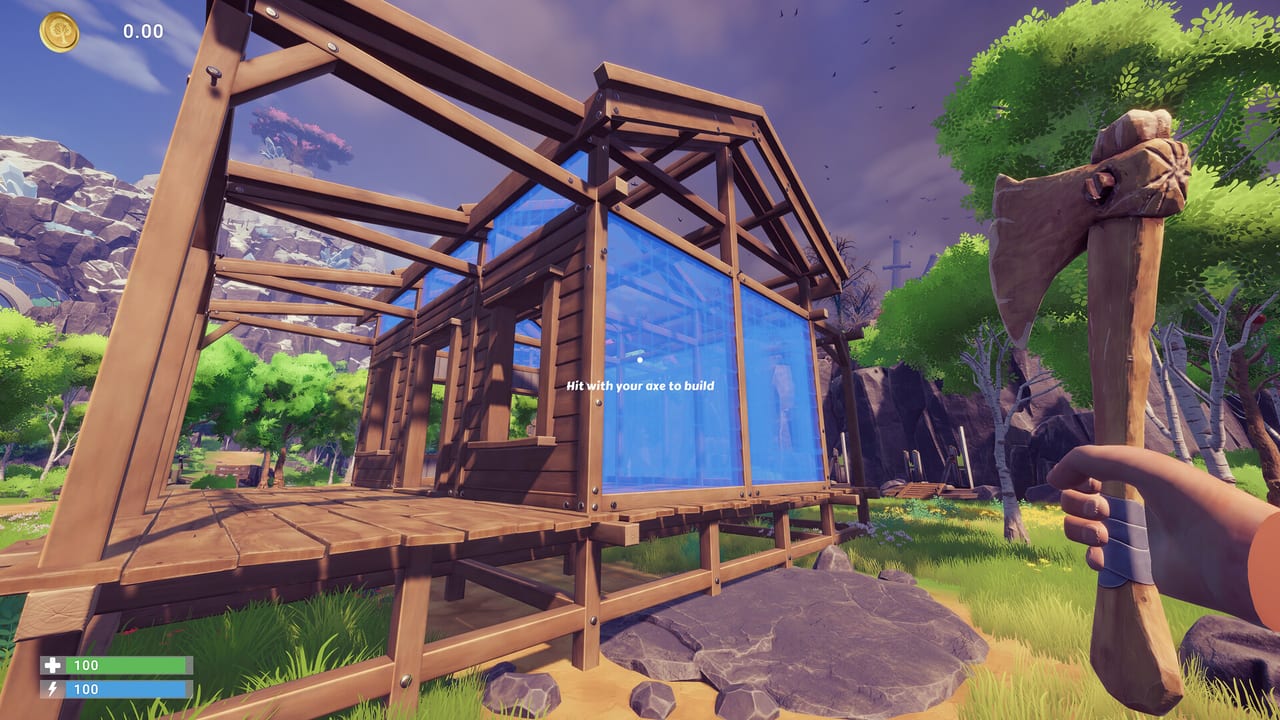
Chop Chop Inc launched on August 7, 2026 as a keyboard-and-mouse first-person sim. That is the part players felt immediately: you can chop, craft, and ship, but full key rebinding and official controller support are not in the shipped options menu yet. NullRef Entertainment said so in the Hotfix #4 community note — keyboard bindings are their first priority, and they heard the controller requests. This page separates settings that already exist (occlusion culling, frame limit, Safe Mode, quit prompt) from settings that do not so you stop hunting a rebind screen that is not there.
Read Movement and Chopping for WASD and swing technique, Crash Troubleshooting if a toggle is about stability, and Patch Notes for the exact hotfix that added each option.
What you can change today
| Setting | Added | Use it when |
|---|---|---|
| GPU Occlusion Culling on/off | Hotfix #1 (Aug 7, 2026) | Intel iGPU glitches, flickering, or odd culling |
| Frame limiting | Hotfix #2 (Aug 7, 2026) | Uncapped FPS, heat, or VRR flicker |
| Safe Mode | Demo Hotfix 1.0.1 (Apr 1, 2026) | Logo hang, crash on boot, 4 GB VRAM |
| Quit session prompt | Hotfix #4 (Aug 11, 2026) | Accidental Alt+F4 / menu quit |
| Autosave rules | Hotfix #4 | Autosave no longer fires during UI or minigames |
-dx11 launch option | Community / Unity workaround | DX12 crash loops — see crash guide |
Display notes from the Steam page still apply: SSD required, DirectX 12, 16:10 and wider monitors. 4:3 and 5:4 are not supported. Do not buy an ultrawide expecting a settings slider to invent 4:3 letterboxing — the client simply does not target those ratios. Full spec tables live on System Requirements.
Default keyboard-and-mouse loop
Until rebinding ships, expect a standard FPS-craft layout:
- WASD move, mouse look, sprint on a stamina key
- Primary click to chop with the equipped axe
- Interact for logs, mailboxes, NPCs, and machines
- Inventory / craft / build menus from the usual PC keys shown in the tutorial
If a prompt and your muscle memory disagree after the redesigned launch UI, believe the on-screen hint. Demo veterans should re-read Getting Started because the HUD is not the March trial.
Do not install third-party remappers that inject into Unity. They are a common crash source and will not be supported when official bindings arrive. If you need accessibility remapping today, use Windows sticky keys / mouse keys at the OS level rather than an overlay DLL.
Controller support — not shipped
Steam lists keyboard and mouse. An unassigned gamepad can still hang the NullRef logo — that was a demo bug Hotfix 1.0.1 targeted. Unplug extra pads before launch, then play with keys. Official gamepad support is on the studio list, not in the current options grid. Deluxe Bundle owners do not get a hidden gamepad mode; see Deluxe Bundle.
Intel iGPU and occlusion culling
Hotfix #1 added a toggle to enable or disable GPU Occlusion Culling as a possible fix for Intel integrated-graphics glitches. If trees, machines, or UI panes flicker or vanish on an iGPU laptop:
- Update the Intel graphics driver.
- Toggle occlusion culling the other way from default.
- Try Safe Mode, then
-dx11if the client still dies in the forest.
Discrete NVIDIA / AMD cards usually leave culling on. Only flip it if you can see a problem.
Frame limit and firewood minigame
Hotfix #2 added frame limiting and removed the firewood minigame. If you are chasing a minigame that older demo videos show, it is gone on purpose — not a broken bind. Cap FPS if your GPU fans scream in the workshop while you stand still at a bench.
Hotfix #4 then stopped autosave during UI and minigames (exercise / remaining interactive scenes) so a save cannot interrupt a bench-press prompt. The new quit confirmation is the other QoL toggle: it is not a keybind, it is a safety prompt.
Safe Mode and launch flags
Use Safe Mode when the logo never yields or 4 GB VRAM cards OOM in dense scenes. After you reach the menu, set a permanent low preset and restart normally. The -dx11 Steam launch option is a last-resort path documented on Crash Troubleshooting. Remove it after a GPU driver update if DX12 is stable again.
What is coming (studio statement)
After Hotfix #4 the team wrote that UI issues and remaining glitches are still on the list, but keyboard bindings are first. Controller support was acknowledged in the same note. There is no public ship date on this wiki. When a patch adds a rebind screen, this page will list the default map and which actions are bindable. Until then, do not trust SEO articles that paste a full custom keymap as if it already exists.
Related pages
- Controls Hub — input categories
- Movement and Chopping — aim and stamina
- Crash Troubleshooting — logo hang, Safe Mode,
-dx11 - Patch Notes — Hotfix #1–#4 setting changelog
- Launch Checklist — first-session PC prep
Play Chop Chop Inc with the keys the tutorial shows, flip occlusion and frame limit if your hardware complains, and wait for the official rebind menu instead of fighting the client. Furnox Corp already wasted your time; your keybinds should not.
Frequently Asked Questions
Quick answers to the most common Chop Chop Inc questions.
Can I rebind keys in Chop Chop Inc right now?
Not as a full official remap. After Hotfix #4 the studio said keyboard bindings are their first priority. Use the tutorial defaults until that patch ships.
Does Chop Chop Inc support a controller?
Not as a supported control scheme. Unplug extra pads to avoid logo hangs. Official gamepad support is acknowledged but not shipped.
What does the occlusion culling toggle fix?
Hotfix #1 added it as a possible Intel iGPU glitch fix. Turn it off (or on) if scenery or UI flickers on integrated graphics.
Where did the firewood minigame go?
Hotfix #2 removed it. That is intentional, not a missing keybind.
Is key rebinding paid DLC?
No. It is a promised free patch. The deluxe bundle is soundtrack plus short story only.