Chop Chop Inc Controls
Keyboard and mouse reference for chopping, crafting, and running your workshop in first person.
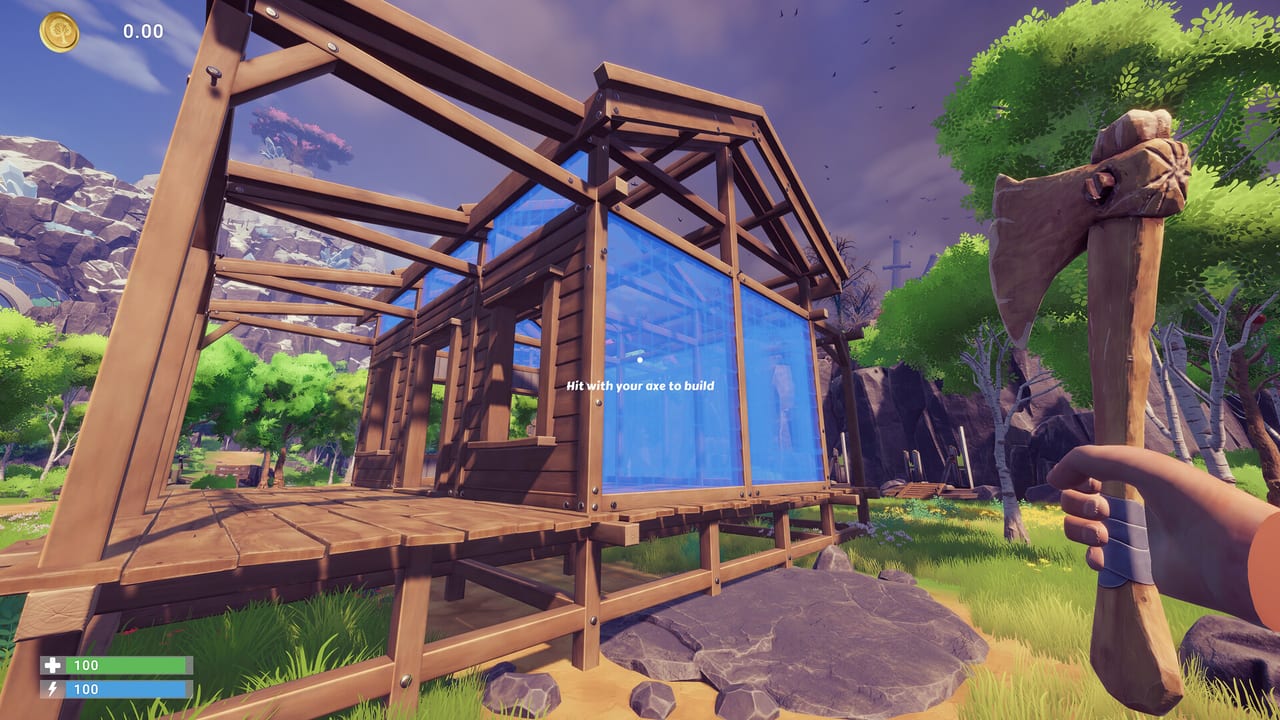
Chop Chop Inc is a first-person woodcutting and furniture-crafting simulation from NullRef Entertainment, published by rokaplay select for Windows PC on Steam. After Furnox Corp fires your character, every minute in the forest and workshop counts toward building a rival empire. Understanding the controls early keeps you from wasting stamina, misplacing machines, or fumbling through menus while a contract timer runs down.
The game is built for keyboard and mouse on PC. There is no multiplayer at launch, so you manage movement, aiming, inventory, and machine placement alone. The free Steam demo uses the same core scheme as the full release scheduled for August 7, 2026, though rebinding options may expand in later patches. Subtitles and an interactive tutorial are available in English and German.
What this hub covers
This Controls Hub summarizes every input category you need before your first sale. For step-by-step chopping angles, sprint timing, and stamina management, read the dedicated Movement and Chopping guide. That page goes deeper on axe swings, tree targeting, and how first-person perspective affects yield compared with casual third-person crafting games.
Movement and camera basics
Standard first-person movement applies: walk with WASD, look with the mouse, and jump when the terrain demands it around your headquarters and the forest trails leading to town. Sprint is stamina-limited, so plan routes between tree clusters and your log pile instead of running back and forth empty-handed. Crouch or fine-adjust position when placing workbenches, sawmills, and conveyors so machines sit flush and NPC helpers can path correctly.
The camera is your primary tool for judging chop angle. Trees in Chop Chop Inc have exaggerated physics and varied silhouettes, so lining up your reticle on the trunk rather than the canopy saves swings. Zoom or sensitivity tweaks, if exposed in settings, help when working in tight workshop corners or reading blueprint text on the research table.
Interaction, crafting, and inventory
Most world objects respond to a primary interact key at close range: pick up logs, open the mailbox for orders, talk to quirky NPCs, and operate machines once they are built. Crafting flows through workbench and research menus where you select blueprints, confirm material costs, and queue furniture. Inventory management separates raw logs, planks, components, and finished pieces; keeping categories sorted prevents accidental shipment of firewood when a customer ordered a dining set.
Building mode, when unlocked, lets you place structures and production lines on your plot. Rotate pieces before confirming placement, and use cancel to step back without spending resources. The demo introduces the workbench first, then the research table and mailbox as NullRef expands your catalog and order flow.
Combat-adjacent chopping and tools
Chopping is not a separate mode: you aim and swing the equipped axe with the mouse while positioning with movement keys. Tool upgrades change damage, speed, and compatibility with stone, metal, and electric trees, but the input loop stays the same. Switch tools from inventory or a hotbar when the game assigns one; higher-tier axes are mandatory before harvesting mineral and energy trees safely.
Menus, pause, and accessibility
Pause and settings menus follow typical PC patterns. Adjust subtitle size if you rely on dialogue from NPCs integrated into your production chain. The interactive tutorial walks through the first contract; you can revisit key prompts from the pause menu in the demo build. Save often when experimenting with layouts, because a misplaced conveyor is faster to fix before you load a backup than after an hour of automated production.
Related pages
| Topic | Page |
|---|---|
| Axe angles and stamina | Movement and Chopping |
| First-hour objectives | Early Game Walkthrough |
| Workshop layout | Starting Area Map |
| Machine inputs mid-game | Mid Game Walkthrough |
Pair this hub with the Walkthrough Hub when you know the buttons but not the order to build research tables, mailboxes, and your first sawmill. Controls stay constant while progression unlocks new regions and automation; revisit movement tips when you enter dense forests or neon valleys with electric trees.
Frequently Asked Questions
Quick answers to the most common Chop Chop Inc questions.
Does Chop Chop Inc support controller input?
The Steam and itch.io listings specify keyboard and mouse. Stick to PC keys for the demo and August 2026 launch unless NullRef adds official gamepad support in a patch.
Can I rebind keys in the demo?
Check Settings from the pause menu. Core actions like move, interact, and chop are expected to be rebindable on PC, but exact options may change between demo and full release.
Why do my chops feel inefficient?
First-person aim matters. Stand close to the trunk, strike horizontally through the wood, and upgrade your axe before tackling stone or electric trees. See Movement and Chopping for detail.
Are controls the same in English and German?
Yes. Input bindings are identical; only subtitles and UI language differ between the two supported languages at launch.
Where do I learn controls beyond this wiki?
The in-game interactive tutorial covers the first workbench and contract. Use this Controls Hub as a reference when you unlock mailboxes, research tables, and automation.