Chop Chop Inc Tools
Checklists and reference pages you can use mid-session without rereading full guides.
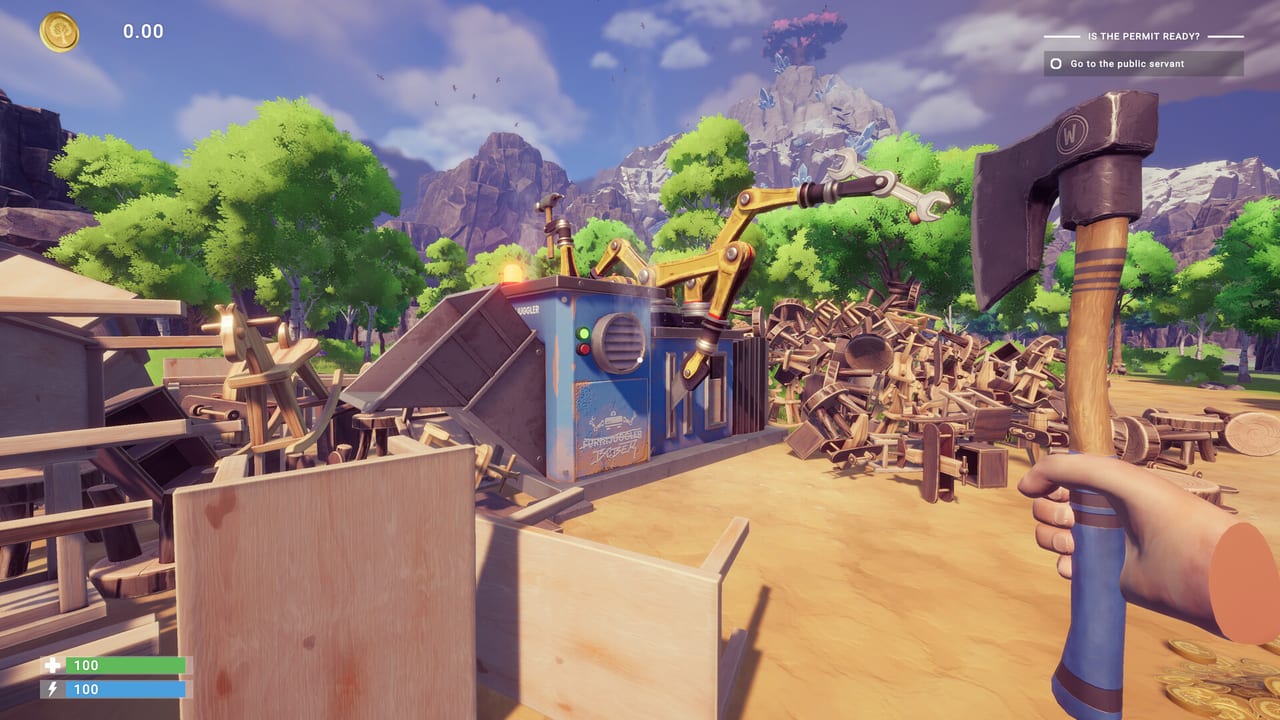
This tools hub collects quick-reference pages for Chop Chop Inc players who already understand the basics but want actionable lists during a session. NullRef Entertainment’s first-person furniture empire sim moves fast once city contracts arrive — you chop timber, process planks, craft furniture, automate lines, and reinvest profits before Furnox Corp feels like ancient history. Guides explain why each system works; tools here tell you what to do next in order.
What belongs in Tools versus Guides
Guides are long-form walkthroughs: automation theory, rare tree routes, money strategies, cooking for stats, and narrative context around Furnox Corp. Tools strip that down to checklists, spec tables, and priority ladders you can skim at a glance. Use both together — read Getting Started once, then keep the Production Checklist open while expanding your yard.
Featured tools
Production Checklist
The Production Checklist tracks priorities from first axe swing through mid-game automation: chop, process, craft, sell, then automate without skipping steps that cause log jams or idle workbenches. It uses interactive-style markdown checkboxes so you can mentally tick stages during demo or full-release sessions. Featured because new players lose hours accepting contracts before their saw throughput matches demand.
System Requirements
The System Requirements page compares Steam minimum and recommended specs side by side — Core i5-6700 versus i5-11600K, 8 GB versus 16 GB RAM, GTX 1070 Ti versus RTX 3080 Ti, DirectX 12, SSD, and 5 GB storage — with practical upgrade tips if you are borderline. Chop Chop Inc supports ultrawide within listed aspect ratios but excludes 5:4 and 4:3 monitors; the tool notes that before you buy.
Crash Troubleshooting
The Crash Troubleshooting page documents demo and launch fixes: verify game files, GPU driver updates, -dx11 launch flag, overlay conflicts, SSD requirement, Safe Mode after Hotfix 1.0.1, and controller-related logo hangs. Featured because the demo went live around March 31, 2026 and the April 1 hotfix addressed out-of-memory crashes on 4 GB VRAM GPUs — players hitting freezes need steps, not another wishlist click.
When to use each tool
| Situation | Tool |
|---|---|
| Demo first hour feels chaotic | Production Checklist |
| Stuttering or low FPS | System Requirements |
| Game crashes or logo hang | Crash Troubleshooting |
| Planning a hardware upgrade before launch | System Requirements |
| Log piles grow faster than planks | Production Checklist — process stage |
| Hotfix applied but still unstable | Crash Troubleshooting — Safe Mode |
Cross-links worth bookmarking
Tools do not replace gameplay knowledge. Pair them with Controls for keybind reminders, Crafting for recipe families, and the Walkthrough hub for objective-by-objective demo routing. Review covers whether the full €12.99 release fits your taste after the trial.
When crashes block progress, cross-link Demo Info for install context and Patch Notes for Hotfix 1.0.1 changelog summary. Launch Checklist helps before August 7, 2026 if you are tuning PC stability ahead of day one.
Updates and accuracy
Tool pages follow official Steam store data and verified demo behavior. When NullRef Entertainment or rokaplay select changes specs, demo scope, or balance patches near the August 7, 2026 launch, these references update to match. Check the Updates hub for release timing and Demo info if trial access methods change.
Suggested workflow
- Install the demo via Demo info.
- Skim System Requirements so settings expectations are set.
- If launch fails, run Crash Troubleshooting before posting bug reports.
- Run the Production Checklist through your first profitable day.
- Deepen with How to Automate once manual hauling becomes tedious.
That path keeps you out of common traps — over-ordering city jobs, under-investing in saws, crashing on outdated demo builds, or buying decorative machines before throughput stabilizes — without reading thousands of words mid-chop.
Frequently Asked Questions
Quick answers to the most common Chop Chop Inc questions.
Are wiki tools official NullRef Entertainment utilities?
No. These are fan-maintained reference pages based on public Steam information and demo testing. They complement in-game tutorials and forms, not replace them.
Which tool should I open first in the demo?
The Production Checklist if gameplay runs. Crash Troubleshooting first if the client hangs on the logo or crashes in forest loads.
Will new tools be added after launch?
Yes, when players need them — for example set-planning calculators or shipping route tables if post-launch systems warrant quick references.
Do tools include German translations?
English source pages live here first. German UI is supported in-game; localized tool pages follow when DE content translations ship for this wiki.
Does Crash Troubleshooting cover full release patches?
It includes demo Hotfix 1.0.1 fixes and general launch steps. Post-launch patches are summarized on Patch Notes with troubleshooting cross-links updated as needed.