Chop Chop Inc Machines and Automation
Production lines that should not be left unattended
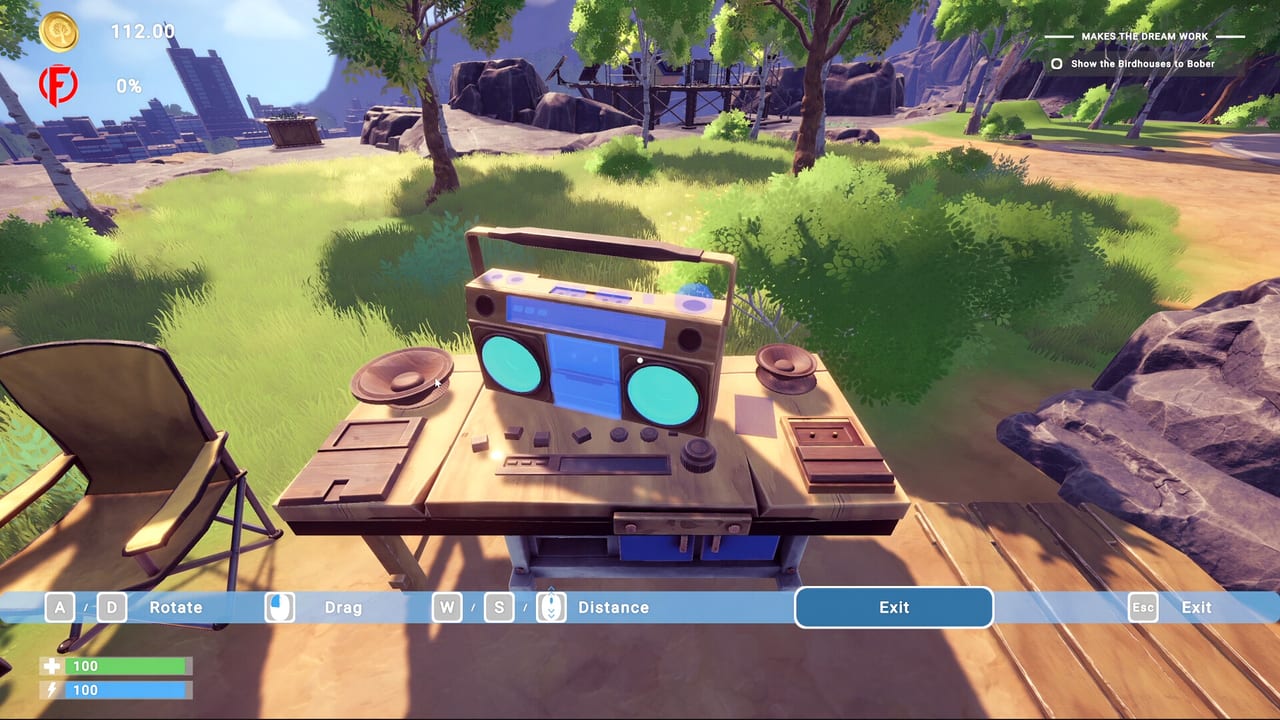
Machines transform Chop Chop Inc from a sweaty first-person chop sim into the automated furniture empire promised on Steam—logs slide into saws, planks feed benches, goods move toward buyers while you plan the next walnut offensive against Furnox Corp. NullRef Entertainment balances comedy with real throughput puzzles; rokaplay select ships the full machine roster August 7, 2026 on PC at €12.99. The demo exposes early devices; retail adds the “smarter” distribution layer advertised alongside NPC helpers and HQ upgrades.
This guide catalogs machine categories, placement rules, power needs from electric trees, and purchase order cross-checked with materials processing and the tier list.
Machine roles in the production stack
Group devices by supply-chain job rather than shop menu order:
Primary processors
Log saws, splitters, and planers convert tree types into planks or refined walnut stock. They are always the first machine purchase after manual bottlenecks appear. Feed them with hoppers or player dumps; output must land in labeled storage so blueprints pull correct grades.
Steam jokes that machines “should not be left unattended”—translate that to hopper discipline and output clearing, not literal mandatory babysitting unless hazard mechanics ship.
Secondary refiners
Crushers for stone trees, smelters for metal trees, and wiring stations for electric trees parallel lumber saws. Unlock when furniture catalog recipes demand exotic inputs or when automation parts consume refined metal and electric components continuously.
Skipping secondary refiners forces expensive vendor buys—acceptable early, punitive at scale.
Assembly and craft stations
Powered benches execute blueprint queues faster than hand crafting. Duplicate stations when NPC helpers arrive so two workers parallelize identical recipes for furniture set batches.
Keep assembly near staging crates dedicated to set bonuses—shipping one chair early wastes machine time.
Distribution and logistics
Retail marketing highlights distribution upgrades—conveyors, carts, auto-sellers, or contract dispatch terminals. These machines shrink the gap between finished goods and cash, closing the resource loop faster than building another saw you cannot feed.
Add distribution only when craft stations consistently back up with unsold inventory.
Power and electric tree dependency
Advanced machines likely require electric tree outputs—wiring, capacitors, or generator fuel. Treat power as its own sub-loop:
- Farm electric groves on map routes safe for high-tier axes.
- Process drops at wiring benches.
- Budget consumption per machine hour before expanding lines.
Power-starved machines idle silently while logs pile up—check electric bins before blaming NPC AI.
Machine purchase priority
Suggested order for typical single-player saves:
- Primary saw — Fixes plank bottleneck.
- Storage upgrade via HQ if outputs clog.
- Second saw or walnut planer — Matches harvest tier unlocks.
- Exotic refiner matching your next blueprint tier.
- Assembly station — When hand crafting limits set throughput.
- Distribution node — When unsold goods block craft queues.
- Duplicate stations — For NPC parallelization.
Revisit priority after Updates rebalance machine costs.
Layout and first-person placement
Building in first-person rewards compact yards:
- Linear flow: forest gate → raw storage → saws → refined storage → assembly → shipping.
- Minimal backtracking for player-fed hoppers during demo sessions.
- Headroom for conveyor paths in retail automation without rebuilding HQ fences.
See controls for rotate and snap keys; misaligned hoppers cause item drops that break loops.
Machines plus NPC helpers
NPCs operate assigned machines when inputs exist. Optimal pattern:
- Player or hauler NPC keeps hopper ≥80% full.
- Operator NPC runs processor continuously.
- Crafter NPC pulls refined stock into assembly queues.
Assign names or stations mentally—debugging idle NPCs means tracing empty bins upstream, documented in NPC helpers.
Machines vs manual demo
Demo machines may lack conveyors or advanced distributors. Practice measuring planks per minute manually, then compare after installing your first saw—data drives whether the next buy is another saw or a city upgrade unlocking better vendors.
Maintenance, hazards, and humor
NullRef’s tone suggests occasional machine comedy—sparks, smoke, NPC startled animations. Even if maintenance minigames never ship, treat clog events seriously: clear output piles before blaming bugs in feedback forms.
Economic tradeoffs
Machines cost cash plus crafted components—often metal tree refined parts. Compare machine price to labor saved over ten in-game days. If savings pay back before the next HQ tier, buy immediately; if not, keep manual processing while farming guides milestones for discounts.
Furnox factory envy
Furnox ran clean lines; yours start improvised. Machine planning is how you beat their margins while selling wooden PCs they would never approve.
Related links
- Build Hub
- Materials Processing
- Walkthrough machine milestones
- Tools for community calculators
Machines are Chop Chop Inc’s escape from pure manual labor—invest smart, feed them consistently, and automation becomes revenge you can hear from the saw floor.
Frequently Asked Questions
Quick answers to the most common Chop Chop Inc questions.
What machine should I buy first?
A log processor such as a saw that converts harvested trees into planks faster than manual work.
Do machines need electric power?
Advanced automation likely consumes components from electric trees. Stock wiring before installing high-tier devices.
Can machines craft furniture automatically?
Assembly stations run blueprint queues, especially with NPC operators. You still supply correct processed materials.
Why is my saw idle?
Empty input hoppers, full output piles, or wrong log types are the usual causes. Clear bins and verify species.
Are demo machines the same as full game?
The demo shows early-tier devices. Retail adds deeper automation and distribution options per Steam feature list.